 Wishlist


That morning when your phone is downstairs and the lights are off
Imagine rushing out the door with a bag in one hand and coffee in the other, then asking your speaker to turn off the bedroom lights. Building a smart home aims to make small, repeatable tasks like this effortless. If you’re asking how to get started, here’s a practical plan that answers what to buy first, how to choose a platform, how to avoid common mistakes, and how to scale without chaos.
What most beginners actually want to achieve
At base, people want convenience, energy savings, better routines, and a sense of control. That usually translates into a short list of initial goals: voice control for lights and music, remote control of plugs and switches, a simple way to view schedules and cameras, and smarter heating/cooling. Keep these goals up front when you make decisions.
Start with one central choice: your smart home platform
Your first decision is the platform or hub that will coordinate devices. Pick based on the ecosystem you already use: if you have many Amazon services or Prime Video, an Alexa-based system (Echo devices) is the smoothest path; if you prefer Apple devices, HomeKit is the safest; if you want cross-brand flexibility, Google Home works well.
This single choice affects which devices integrate easily, whether you’ll use voice control, and how automated scenes behave. You can mix systems, but expect some friction and duplicate apps.
Room-by-room priorities to make choices easy
Work by rooms rather than by device type. That keeps costs visible and gives immediate, useful results.
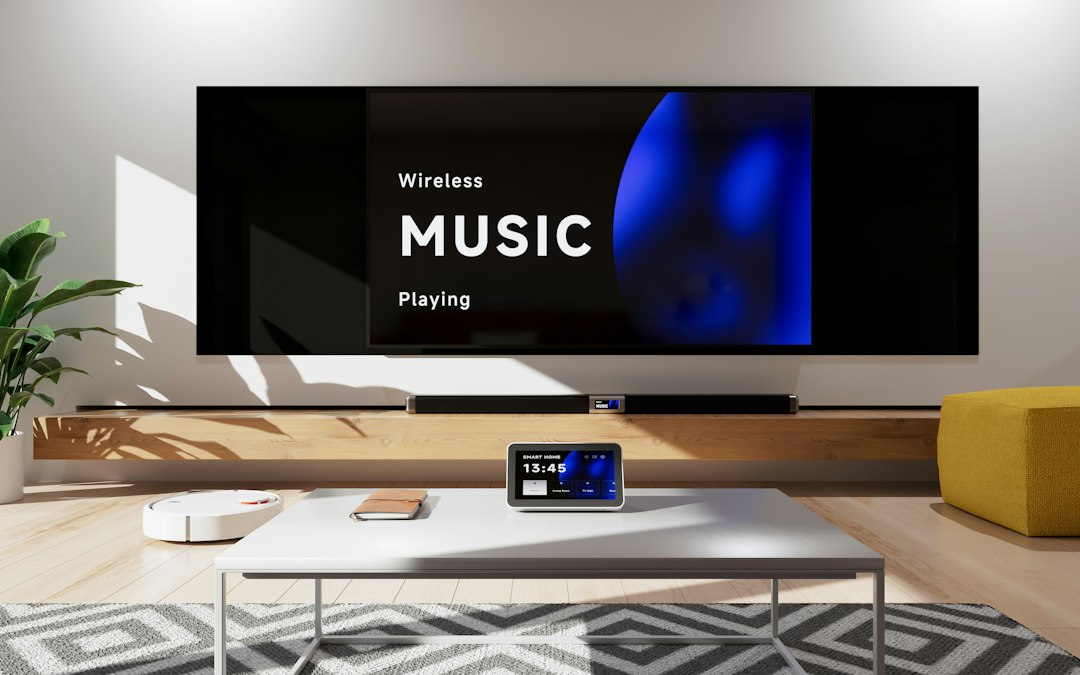
- Living room: smart speaker or smart display as the hub, smart TV integration, and a smart plug for lamps.
- Bedroom: a small smart display/alarm (or smart plug for lamps) and motion-based lighting automation for convenience.
- Kitchen: smart display for recipes and timers plus a couple of smart plugs for small appliances.
- Entryway: smart lock and a camera or doorbell for security; automated porch light on sunset schedule.
- Whole home: smart thermostat to save energy and maintain comfort.

Buy basics first: three high-impact devices
Don’t buy every gadget at once. Start with these:
- Voice-enabled hub or smart display — central control, routines, and visual info.
- Smart bulbs or smart switches — lights are the quickest payoff for convenience and security.
- Smart plug — makes one ordinary device “smart” without rewiring (useful for lamps, coffee makers, fans).
For most beginners the best first product is a reliable smart display that doubles as a hub and visual control surface.
Why I recommended a smart display first
A smart display like the Echo Show 21 combines voice control, visual routines, video calls, and a home dashboard. It’s useful in a main living area and reduces the need to learn multiple apps. If you’d rather start even cheaper, a small smart speaker or a smart plug can still demonstrate value quickly.
Connectivity, interoperability and when to use a hub
Most smart devices use Wi‑Fi or Zigbee/Z‑Wave. Wi‑Fi devices are easiest but can clutter your home network. If you plan many sensors, lights, and locks, a hub (or a smart display that supports Zigbee) reduces Wi‑Fi traffic and improves responsiveness.
Trade-offs: hubs add cost and a single point of failure; Wi‑Fi-only setups are simpler but may need stronger routers. Aim to put your hub/primary smart display within sight of your home router for the best first experience.
Security and privacy decisions that matter
Secure your smart home early. Steps that take minutes make a big difference:
- Use a strong, unique password for your router and smart-home accounts and enable two-factor authentication.
- Put smart devices on a separate guest network or VLAN when possible.
- Review default privacy settings on cameras and voice assistants—disable continuous recording if you don’t need it.
- Keep firmware and apps updated to patch vulnerabilities.
Practical automation ideas for your first month
Automations that feel like magic and are simple to build:
- Sunset/sunrise schedules for exterior and living-room lights.
- Good-morning routine that turns on bedroom lights and reads the weather.
- Presence-based heating: set the thermostat to eco mode when the last phone leaves the home network.
- Smart-plug schedule for the coffee maker or slow cooker so it’s ready when you are.
Keep automations short and test them one at a time. Over-automation leads to frustration faster than under-automation.
When to expand and what to add next
After you’ve lived with basics for a few weeks, decide based on frustration points: are you still unlocking the door manually? Add a smart lock. Do you miss seeing who’s at the door? Add a video doorbell. Want better climate control? Add a smart thermostat. Let daily pain points guide purchases.
Budgeting and avoiding common mistakes
Set a 3‑month roadmap with clear goals, e.g., “voice control in living room, smart lights in bedroom, smart thermostat.” Avoid these traps:
- Buying too many brands that don’t play well together.
- Choosing novelty gadgets before solving a real need.
- Neglecting network capacity—older routers may struggle with many devices.
Useful next reads
If you want to make the home feel more comfortable while upgrading tech, see 10 Simple Ways to Make Your Home Feel More Luxurious. For organizing smart devices and daily routines, the self-care routine guide has complementary ideas for ritualizing automated mornings and evenings.
- Choose a single platform (Alexa, Google, or HomeKit) based on devices you already use.
- Buy one central hub or smart display and place it in a main room.
- Install smart bulbs/switches and one smart plug to test automations.
- Put devices on a separate network and enable two-factor authentication.
- Create one simple automation you’ll use daily (lights, thermostat, or coffee).
- Plan the next addition based on an actual pain point.
Building a smart home works best when you start small, choose a single platform, secure your network, and solve immediate daily annoyances first. A smart display, a few smart lights, and a smart plug deliver the most utility for the least hassle.
Do I need a hub to build a smart home?
Not always. Many beginners can start with Wi‑Fi smart plugs and speakers, but a hub helps when you add many devices or use Zigbee/Z‑Wave products.
Which devices give the fastest benefit?
Smart lights, smart plugs for lamps and small appliances, and a smart display for voice control and routines usually show immediate value.
How do I secure smart home devices?
Use a guest or VLAN for IoT devices, strong unique passwords, two-factor authentication, and keep firmware updated.
Can I switch platforms later?
You can, but it may require replacing or re-pairing devices and rebuilding automations; pick a platform you’re likely to keep.
Are smart devices worth the cost for energy savings?
Smart thermostats and lighting schedules can reduce energy use over time, but the primary early payoff is convenience and better routines.